Enhancements
Custom Play Details Overlay Configurations
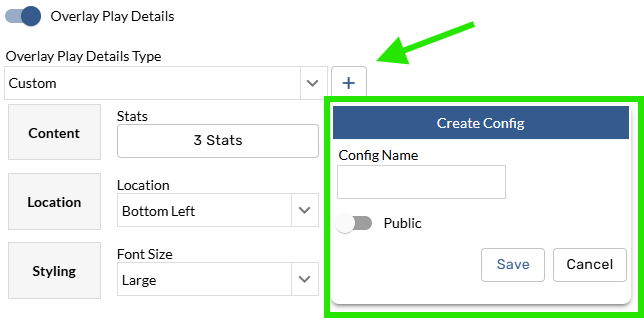
Users can now create, edit, and save custom play details overlay configurations. In the export window, users will now see a “+” icon allowing users to name and save their configs.
Creating a new config
To create a new config, choose the custom option in the dropdown, build out the desired config, and click the “+” to name and save it.
Tips and Tricks
You can export a configuration without saving it. The good: You can customize existing configurations ad hoc. The bad: if the configuration isn’t explicitly saved, the changes will not be reflected when accessing it again.
Editing an existing config
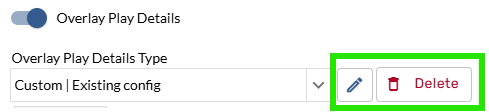
Selecting a custom configuration option will show a pencil icon alongside a delete button. To apply changes to an existing configuration, click the pencil icon and save.
Play Details Configs option added to User Settings
A new settings tab has been added to user settings allowing users to manage and view configurations.
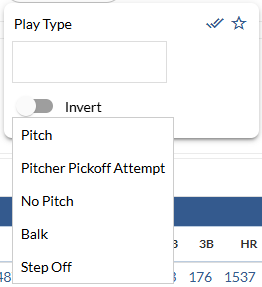
Play Type filter added
Better default comparison season lookback logic
We’ve made changes to our comparison season logic to ensure component filters such as “Days Ago” and “Date Range” work as intended.
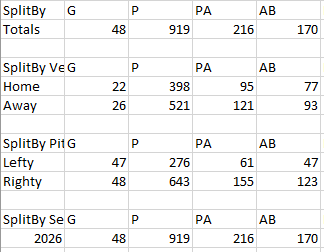
Improved Splits export CSV format
We’ve removed redundant and unnecessary rows from csv exports from Splits pages.
Team League (Game) filter added
A new league filter has been added due to limitations with the existing Team League filter and Umpire data.
JUCO league option updated to include CCCAA
Query restriction theme changed